Yota WiMAX or 4G reality in Moscow
May 22, 2009 14:52

By the
beginning of the summer, 2009 Yota (Scartel)
will have finished to test its 4th generation wireless network and will enter commercial
service in Moscow. Besides the capital the IEEE 802.16e network will be
deployed in St.Petersburg and Ufa. The coverage area that existed in Moscow by
the time this article was written is presented below. The current information
can be found on the site of the
service company.
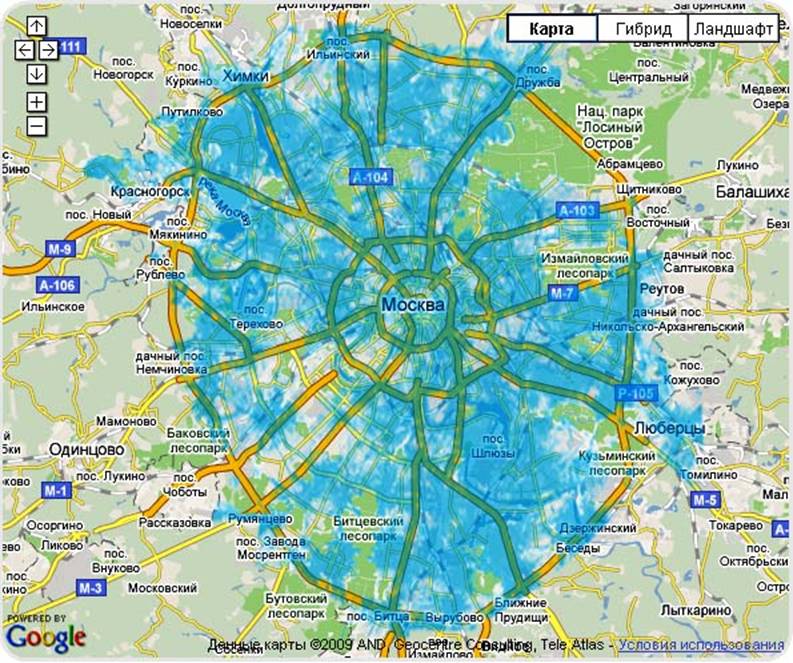
Besides the
territory inside the MKAD the network is also available in some nearby cities
of Moscow like Krasnogorsk, Lyubertsy and Zelenograd.
The speed that the provider offers
is impressing: downloading speed up to 10 Mbps and uploading one up to 3.5
Mbps. Of course, we decided to check whether the announced speed and coverage
area correspond to reality.
As the equipment for the Mobile WiMAX network can be used pocket
PCs (HTC MAX 4G), wireless USB-modems (ASUS WUSB25E2, Samsung
SWC-U200), Express
Cards (ASUS WEXP25E2, Samsung
SWC-E100), as
well as notebooks with built-in WiMAX-modules: ASUS (Eee PC 1003 HAG, F6VE, N50Vc, N51), Acer (Aspire 3810T, Aspire 5738, Aspire 6930, One 10’’), Lenovo (IdeaPad Y530, IdeaPad Y550, S10-2, ThinkPad
SL400, ThinkPad T400, ThinkPad T500, ThinkPad x200, ThinkPad x301), MSI (EX623, XSlim 340, U120), Samsung (NC10, N310, Q320, R522, X460), Toshiba (NB200, Portege M800, Satellite A300). Besides these devices the connection can be made via
routers like ASUS Mobile WiMAX/Wi-Fi Center (WM25E1+, WMV25E2+ and WMVN25E2+). When Samsung SWC-U200 USB-modem drivers for Linux
appeared some UNIX
guru built the firmware
for ASUS router with this modem support. Here exist detailed instructions for handmade firmware modification. Unfortunately, in
the nearest future, ASUS doesn’t plan to release WiMAX USB-modem support in
original firmware. As a result of everybody’s interest in Mobile WiMAX
advancement there appeared a large number of custom devices for 802.16e
networks.
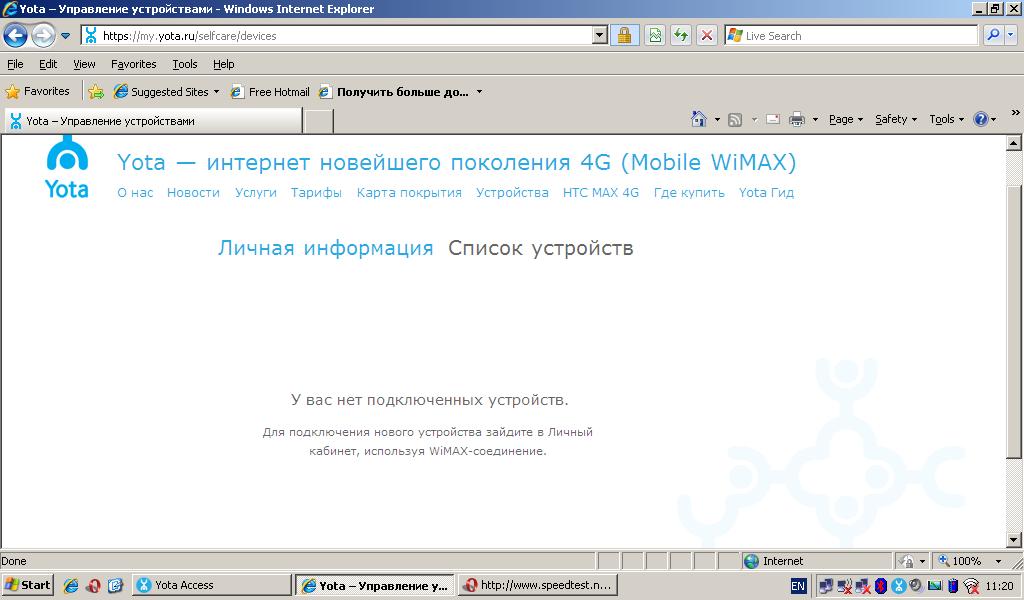
In our tests we used notebook ASUS Eee PC 1003 HAG
with built-in wireless network card Intel WiMAX/Wi-Fi Link 5150. Yet, Yota device recognition service failed to
identify our connection correctly as when we tried to register the device in
our personal account we were informed that there were no WiMAX connection.
For network speed testing we chose three Moscow rings:
the Sadovoye Ring, the Third Transport Ring and the MKAD, and the territory of
Moscow satellite town, Krasnogorsk. The best network coverage was within the
Sadovoye Ring. Here we got internet access at speeds up to 10 Mbps and roaming
between base stations with no session breaking. On the TTR there were places
with a strong signal where internet connection speed was about Ethernet one and
places where downloading speed hardly reached 1 Mbps. On the MKAD the situation
was even worse. The connection speed was lower than 10 Mbps and there were
quite a lot of places with no connection at all. The network coverage was
detected mostly in the areas with housing estates near the MKAD. Our stops for
speed testing provoked genuine interest of traffic control inspectors still on
the Sadovoye Ring and the TTR they didn’t even pay us any attention. In
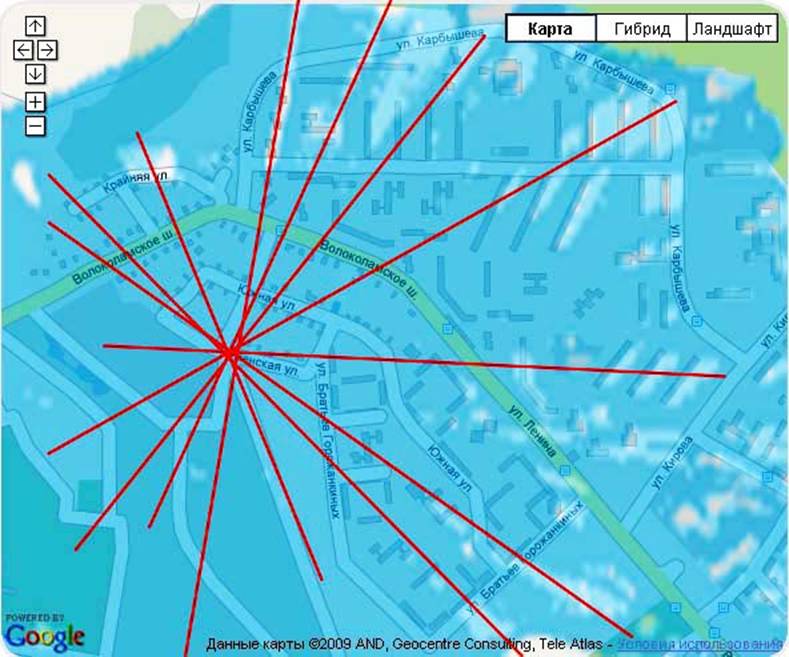
Krasnogorsk the internet access is provided via the single access point the
location of which can be easily defined from the Network Coverage Scheme of
Chernevo neighborhood. It must be mentioned that tests were carried out on the
notebook in a parked car that’s why the connection signal and speed on
custom devices mounted in buildings can differ from ours.
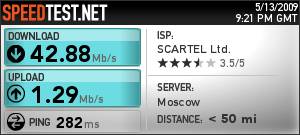
The tests were carried out via the online tester SPEEDTEST.NET,
and by multithread data downloading and uploading on FTP-server. We found the
way SPEEDTEST displays the test results quite acceptable that’s why we used
them on the map. In areas with strong signal we managed to get downloading
speed much higher than 10 Mbps. Unfortunately such results were caused by the
algorithm error in speed calculation. Actually the downloading speed in this
places was about 10 Mbps. It doesn’t concern lower speeds that’s why speed
results less than 10 Mbps show the real situation.
The average speed on each route is shown in the table
and the diagram below.
|
Route\Link |
Downlink,
Mbps |
Uplink,
Mbps |
|
Krasnogorsk |
5,73 |
0,74 |
|
MKAD |
3,55 |
0,57 |
|
TTR |
4,42 |
0,57 |
|
Sadovoe Ring |
6,84 |
0,89 |
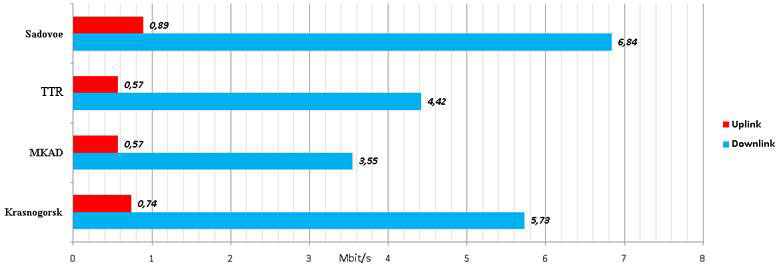
Comparatively good results in Krasnogorsk are caused
by quite small area where it was possible to connect to Mobile WiMAX network.
In some places of all routes we failed to authorize in
the network though Yota access utility showed a weak signal.
More detailed results on all routes can be found on
this page.
After entering commercial service Yota will offer
three service plans (Yota mini,
Yota max and Yota day) with unlimited internet access with the speed up to 10
Mbps as well as additional services. Yet, if you are going to use Yota WiMAX in
some certain places it is better not to relay on the coverage area scheme but to test if
there is a signal or not by yourself.
On the whole we are satisfied with the service that
can be a real alternative to the existing GSM-operators, especially if take
into consideration that in Moscow test exploitation of 3G is allowed only in
the underground and buildings. We hope that soon this network will be deployed
in nearby towns of Moscow as well, at least within the Small Concrete Ring
Road.
The author
would like to publicly acknowledge the help of Andreeva Maria, who corrected
the english version of the article. I would also like to thank Zabotina Tatiana
for this article translation from Russian into English.